Популярные игры 2026 года
Наиболее скачиваемые релизы за текущий год
 Poppy Playtime - Chapter 5
18.02.2026
Poppy Playtime - Chapter 5
18.02.2026
 Resident Evil Requiem Deluxe Edition
26.02.2026
Resident Evil Requiem Deluxe Edition
26.02.2026
 Carmageddon: Rogue Shift
06.02.2026
Carmageddon: Rogue Shift
06.02.2026
 Scritchy Scratchy
18.03.2026
Scritchy Scratchy
18.03.2026
 Nioh 3 Digital Deluxe Edition
05.02.2026
Nioh 3 Digital Deluxe Edition
05.02.2026
 Car Service Together
04.02.2026
Car Service Together
04.02.2026
 Escape from Yandere
07.02.2026
Escape from Yandere
07.02.2026
 Styx: Blades of Greed - Quartz Edition
19.02.2026
Styx: Blades of Greed - Quartz Edition
19.02.2026
 DEATH STRANDING 2: ON THE BEACH
19.03.2026
DEATH STRANDING 2: ON THE BEACH
19.03.2026
 Berry Bury Berry
29.01.2026
Berry Bury Berry
29.01.2026
 Exotica 2: Pet Shop Simulator
21.01.2026
Exotica 2: Pet Shop Simulator
21.01.2026
 Subnautica 2
01.02.2026
Subnautica 2
01.02.2026
 Crimson Desert
19.03.2026
Crimson Desert
19.03.2026
 RIDE 6
12.02.2026
RIDE 6
12.02.2026
 Hordes of Hunger
12.02.2026
Hordes of Hunger
12.02.2026
 Red Passport: Ticket to Russia
22.01.2026
Red Passport: Ticket to Russia
22.01.2026
 Rainbow Gate
30.01.2026
Rainbow Gate
30.01.2026
 FATAL FRAME II: Crimson Butterfly REMAKE Digital Deluxe Edition
11.03.2026
FATAL FRAME II: Crimson Butterfly REMAKE Digital Deluxe Edition
11.03.2026
 Transport Fever 3
01.02.2026
Transport Fever 3
01.02.2026
 Relooted
10.02.2026
Relooted
10.02.2026
Evergarden 1.0 build 6 — торрент-раздача для PC
Версия игры: 1.0 build 6 | Обновлено: 09.02.2026 01:08
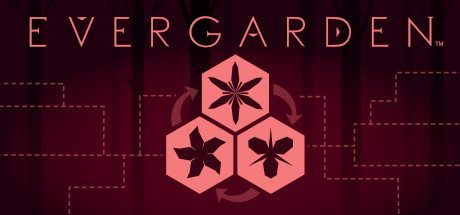
Evergarden — это головоломка с элементами повествования и исследования, действие которой разворачивается в таинственном лесу. Игра предлагает бесконечные возможности для решения задач, где вы сможете преобразовывать растения в новые формы, создавая ценные предметы на игровом поле. Основная механика заключается в соединении растений в пределах ограниченного числа ходов, чтобы развивать свой сад и раскрывать скрытые секреты. Ваш проводник по лесу — Фен, который поможет вам восстановить лесную экосистему.
Дата выхода
2018 (16.08.2018)
Рейтинг Steam
89% (93 отзыва)
Последнее обновление
09.02.2026 01:08
Доступные версии игры
1.0 build 6
Разработчик
Flippfly LLC
Издатель
Flippfly LLC
Репакер
Без установки
Игра в подборках:
Языки интерфейса
английский, французский, итальянский, немецкий, испанский — Испания, японский, корейский, португальский — Бразилия, русский, китайский (упр.), китайский (трад.)
Описание игры
Evergarden — это головоломка с элементами повествования и исследования, действие которой разворачивается в таинственном лесу. Игра предлагает бесконечные возможности для решения задач, где вы сможете преобразовывать растения в новые формы, создавая ценные предметы на игровом поле. Основная механика заключается в соединении растений в пределах ограниченного числа ходов, чтобы развивать свой сад и раскрывать скрытые секреты.
Ваш проводник по лесу — Фен, который поможет вам восстановить лесную экосистему. Помимо основной головоломки, ждёт вас обширное исследование леса с собственными загадками и прогрессией. Вы можете использовать полученные камни для решения более сложных головоломок и открытия новых «песен», которые добавляют глубину и разнообразие в игровой процесс.
Evergarden не имеет конечной цели — это "вечнозелёная" игра, где вы можете бесконечно совершенствовать свои навыки, играя повторно. Основное повествование займет 10-15 часов исследования, а ежедневные вызовы с новыми задачами обеспечат постоянный интерес и разнообразие игрового опыта.
Игра предлагает глубокую стратегию и расслабляющую атмосферу. Сначала Evergarden может показаться знакомой, но со временем вы поймете, что это уникальная головоломка, которая отличается от привычных игр в жанре. Игра постоянно обновляется и предлагает всё новые вызовы для самых разных вкусов и навыков игроков.
Ваш проводник по лесу — Фен, который поможет вам восстановить лесную экосистему. Помимо основной головоломки, ждёт вас обширное исследование леса с собственными загадками и прогрессией. Вы можете использовать полученные камни для решения более сложных головоломок и открытия новых «песен», которые добавляют глубину и разнообразие в игровой процесс.
Evergarden не имеет конечной цели — это "вечнозелёная" игра, где вы можете бесконечно совершенствовать свои навыки, играя повторно. Основное повествование займет 10-15 часов исследования, а ежедневные вызовы с новыми задачами обеспечат постоянный интерес и разнообразие игрового опыта.
Игра предлагает глубокую стратегию и расслабляющую атмосферу. Сначала Evergarden может показаться знакомой, но со временем вы поймете, что это уникальная головоломка, которая отличается от привычных игр в жанре. Игра постоянно обновляется и предлагает всё новые вызовы для самых разных вкусов и навыков игроков.
Скриншоты из игры (5)
Трейлер и видео из игры (1)
Системные требования
| Параметр | Минимальные | Рекомендуемые |
|---|---|---|
| ОС | Windows 7 SP1+ | — |
| Процессор | SSE2 instruction set support | — |
| Видеокарта | Graphics card with DX10 (shader model 4.0) capabilities | — |
| Место на диске | 150 MB | — |
| DirectX | Version 10 | — |
Часто задаваемые вопросы
Как скачать игру через торрент на qoob.name?
Откройте страницу нужной игры, например Evergarden, и нажмите кнопку скачивания .torrent-файла. Затем откройте загруженный файл в любом торрент-клиенте (qBittorrent, Transmission и т.д.). Раздача начнётся автоматически — дождитесь завершения загрузки и приступайте к установке.
Безопасно ли скачивать раздачи с этого сайта?
Все раздачи на qoob.name проходят проверку перед публикацией — файлы сканируются на наличие вредоносного кода. Тем не менее мы рекомендуем держать антивирус включённым и проверять загруженные файлы самостоятельно. Если какая-либо раздача вызывает сомнения, сообщите нам через форму обратной связи.
Как установить игру после скачивания?
После завершения загрузки откройте папку с файлами и запустите setup.exe или install.exe — в большинстве раздач установщик стандартный. Для репаков от популярных репакеров следуйте инструкции в файле readme.txt, который обычно находится в корне папки. Evergarden 1.0 build 6 устанавливается аналогичным образом.
Можно ли обновить игру до последней версии?
Мы стараемся выкладывать актуальные версии игр. Если вы скачали Evergarden версии 1.0 build 6, проверьте страницу игры — при выходе патча мы обновляем раздачу или добавляем отдельный файл обновления. Подпишитесь на уведомления, чтобы не пропустить новые версии.
Какой торрент-клиент лучше использовать?
Рекомендуем qBittorrent — он бесплатный, без рекламы и поддерживает все необходимые функции. Также подойдут Deluge и Transmission. Достаточно установить клиент, открыть в нём скачанный .torrent-файл и указать папку для загрузки. Никаких специальных настроек для раздач с qoob.name не требуется.
Другие репаки
| Репакер | Тип | Версия | Размер | Скачать |
|---|---|---|---|---|
| Без установки | Portable | 1.0 build 6 | 0.14 GB | Скачать |