Популярные игры 2026 года
Наиболее скачиваемые релизы за текущий год
 Poppy Playtime - Chapter 5
18.02.2026
Poppy Playtime - Chapter 5
18.02.2026
 Resident Evil Requiem Deluxe Edition
26.02.2026
Resident Evil Requiem Deluxe Edition
26.02.2026
 Carmageddon: Rogue Shift
06.02.2026
Carmageddon: Rogue Shift
06.02.2026
 Scritchy Scratchy
18.03.2026
Scritchy Scratchy
18.03.2026
 Nioh 3 Digital Deluxe Edition
05.02.2026
Nioh 3 Digital Deluxe Edition
05.02.2026
 Car Service Together
04.02.2026
Car Service Together
04.02.2026
 Escape from Yandere
07.02.2026
Escape from Yandere
07.02.2026
 Styx: Blades of Greed - Quartz Edition
19.02.2026
Styx: Blades of Greed - Quartz Edition
19.02.2026
 DEATH STRANDING 2: ON THE BEACH
19.03.2026
DEATH STRANDING 2: ON THE BEACH
19.03.2026
 Berry Bury Berry
29.01.2026
Berry Bury Berry
29.01.2026
 Exotica 2: Pet Shop Simulator
21.01.2026
Exotica 2: Pet Shop Simulator
21.01.2026
 Subnautica 2
01.02.2026
Subnautica 2
01.02.2026
 Crimson Desert
19.03.2026
Crimson Desert
19.03.2026
 RIDE 6
12.02.2026
RIDE 6
12.02.2026
 Hordes of Hunger
12.02.2026
Hordes of Hunger
12.02.2026
 Red Passport: Ticket to Russia
22.01.2026
Red Passport: Ticket to Russia
22.01.2026
 Rainbow Gate
30.01.2026
Rainbow Gate
30.01.2026
 FATAL FRAME II: Crimson Butterfly REMAKE Digital Deluxe Edition
11.03.2026
FATAL FRAME II: Crimson Butterfly REMAKE Digital Deluxe Edition
11.03.2026
 Transport Fever 3
01.02.2026
Transport Fever 3
01.02.2026
 Relooted
10.02.2026
Relooted
10.02.2026
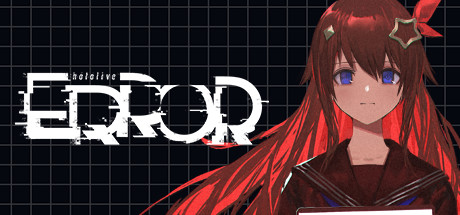
hololive ERROR 2.1 — торрент-раздача для PC
Версия игры: 2.1 | Обновлено: 08.02.2026 22:44
The game is a first-person horror experience set in the fictional town of Aogami, known for its eerie legends and supernatural events. Players assume the role of a journalist who investigates paranormal phenomena after inheriting a lead from his late grandfather. As the story unfolds, the player navigates through the halls of a mysterious school building within the town. Gameplay focuses on exploration and puzzle-solving rather than combat or evasion. The journalist must search for important notes scattered throughout the levels to progress.
Дата выхода
2022 (15.09.2022)
Рейтинг Steam
87% (211 отзывов)
Последнее обновление
08.02.2026 22:44
Доступные версии игры
2.1
Разработчик
株式会社Mogura
Издатель
CCMC Corp.
Репакер
Borboriun
Игра в подборках:
Языки интерфейса
английский, японский
Языки озвучки
японский
Описание игры
The game is a first-person horror experience set in the fictional town of Aogami, known for its eerie legends and supernatural events. Players assume the role of a journalist who investigates paranormal phenomena after inheriting a lead from his late grandfather. As the story unfolds, the player navigates through the halls of a mysterious school building within the town.
Gameplay focuses on exploration and puzzle-solving rather than combat or evasion. The journalist must search for important notes scattered throughout the levels to progress. Players have no means to fight back against the supernatural entities they encounter; instead, they rely on their wit and agility to avoid them and uncover the truth behind the school's dark history.
Experience is enhanced for those familiar with the hololive ERROR series of 2D story videos, offering deeper insights into the narrative. For newcomers, the game provides an engaging introduction to the world of Aogami and its unsettling mysteries. The objective is clear: discover the hidden notes, unravel the mystery, and escape the haunted school building alive.
Gameplay focuses on exploration and puzzle-solving rather than combat or evasion. The journalist must search for important notes scattered throughout the levels to progress. Players have no means to fight back against the supernatural entities they encounter; instead, they rely on their wit and agility to avoid them and uncover the truth behind the school's dark history.
Experience is enhanced for those familiar with the hololive ERROR series of 2D story videos, offering deeper insights into the narrative. For newcomers, the game provides an engaging introduction to the world of Aogami and its unsettling mysteries. The objective is clear: discover the hidden notes, unravel the mystery, and escape the haunted school building alive.
Скриншоты из игры (12)
Трейлер и видео из игры (2)
Системные требования
| Параметр | Минимальные | Рекомендуемые |
|---|---|---|
| ОС | Windows 10 (64-bit) | Windows 10 (64-bit) |
| Процессор | Core i5-7600, Core i5-8400, Ryzen 5 1600 equivalent or better | Core i5-7600, Core i5-8400, Ryzen 5 1600 equivalent or better |
| Память | 8 GB | 8 GB |
| Видеокарта | NVIDIA GeForce GTX 1060 6GB, AMD Radeon RX580 8GB, RX Vega 56 or better | NVIDIA GeForce GTX 1060 6GB, AMD Radeon RX580 8GB, RX Vega 56 or better |
| Место на диске | 6 GB | 10 GB |
| DirectX | Version 11 | Version 11 |
| Дополнительно | — | Monitor resolution: 1920 x 1080, Aspect ratio: 16:9 |
Часто задаваемые вопросы
Как скачать игру через торрент на qoob.name?
Откройте страницу нужной игры, например hololive ERROR, и нажмите кнопку скачивания .torrent-файла. Затем откройте загруженный файл в любом торрент-клиенте (qBittorrent, Transmission и т.д.). Раздача начнётся автоматически — дождитесь завершения загрузки и приступайте к установке.
Безопасно ли скачивать раздачи с этого сайта?
Все раздачи на qoob.name проходят проверку перед публикацией — файлы сканируются на наличие вредоносного кода. Тем не менее мы рекомендуем держать антивирус включённым и проверять загруженные файлы самостоятельно. Если какая-либо раздача вызывает сомнения, сообщите нам через форму обратной связи.
Как установить игру после скачивания?
После завершения загрузки откройте папку с файлами и запустите setup.exe или install.exe — в большинстве раздач установщик стандартный. Для репаков от популярных репакеров следуйте инструкции в файле readme.txt, который обычно находится в корне папки. hololive ERROR 2.1 устанавливается аналогичным образом.
Можно ли обновить игру до последней версии?
Мы стараемся выкладывать актуальные версии игр. Если вы скачали hololive ERROR версии 2.1, проверьте страницу игры — при выходе патча мы обновляем раздачу или добавляем отдельный файл обновления. Подпишитесь на уведомления, чтобы не пропустить новые версии.
Какой торрент-клиент лучше использовать?
Рекомендуем qBittorrent — он бесплатный, без рекламы и поддерживает все необходимые функции. Также подойдут Deluge и Transmission. Достаточно установить клиент, открыть в нём скачанный .torrent-файл и указать папку для загрузки. Никаких специальных настроек для раздач с qoob.name не требуется.

![Обложка: Corrosion: Cold Winter Waiting [Enhanced Edition]](https://cdn.qoob.name/1/12937/header.jpg)